Fix the cause, not only the symptoms
Problems find the cause behind incidents, give agents a workaround while the cause is open, and make sure the fix happens.
How it works
Open a problem from an incident, several incidents at once, a post-incident review, a case or the Problems page. It moves through New, Investigating, Known error, Fix in progress, Resolved and Closed. A resolved problem is watched for 14 days and opens again if a new incident is linked.
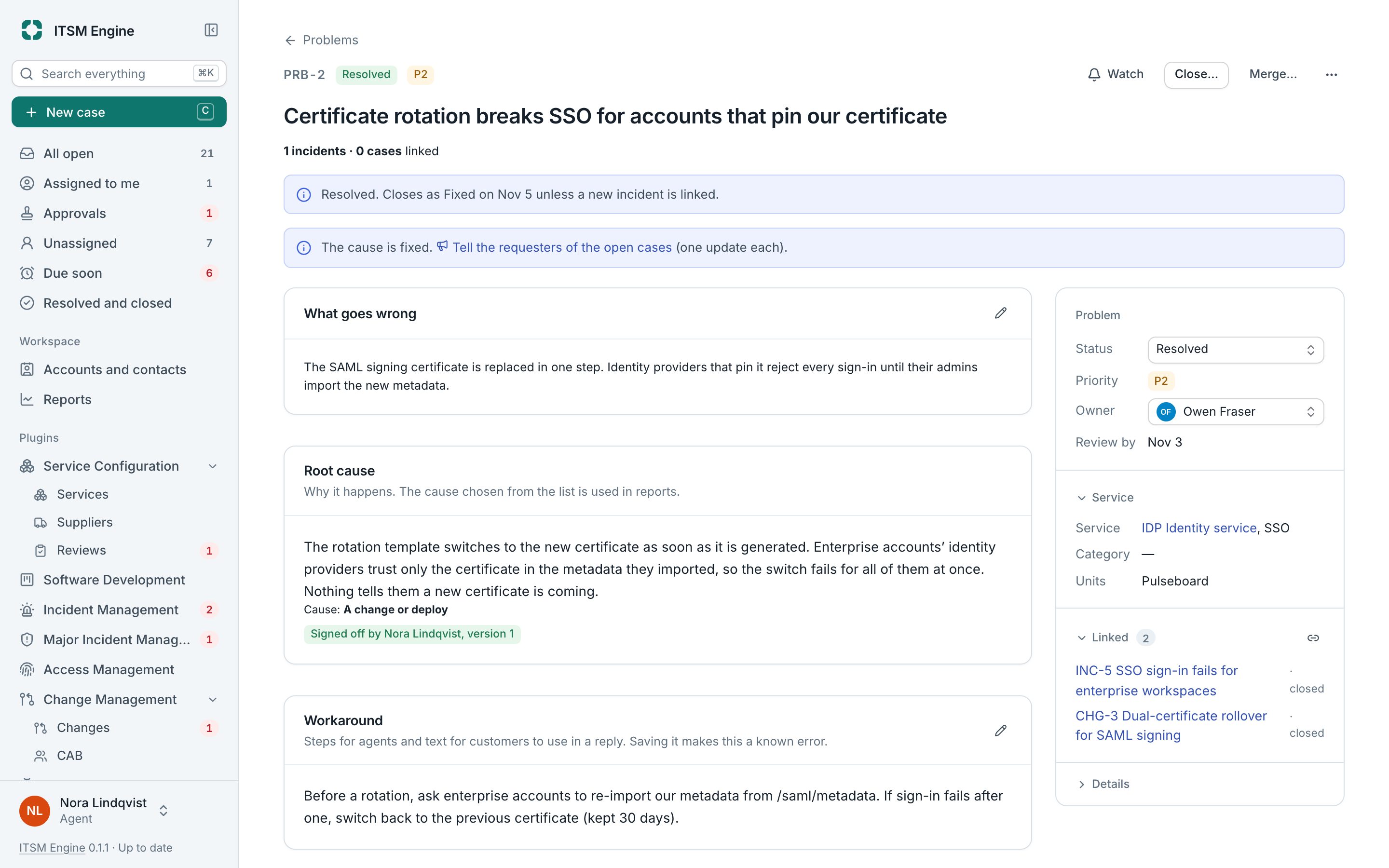
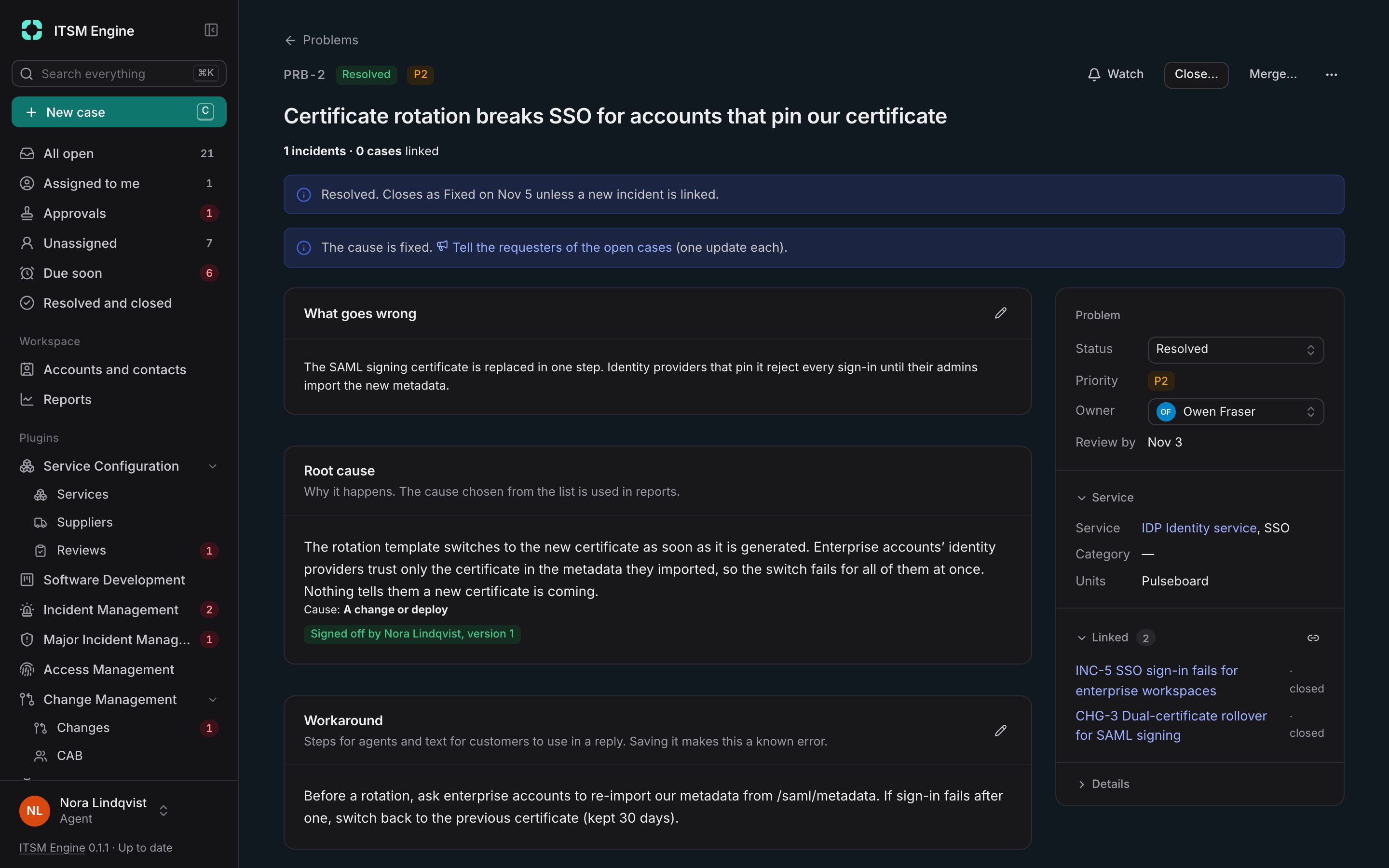
The problem page holds the description, the root cause with templates such as five whys, the workaround for agents with a text for customers, the fix, tasks, links and a timeline. A root cause is signed off by a different Problem Manager, and accepting a workaround for good needs a risk acceptance with a review date.
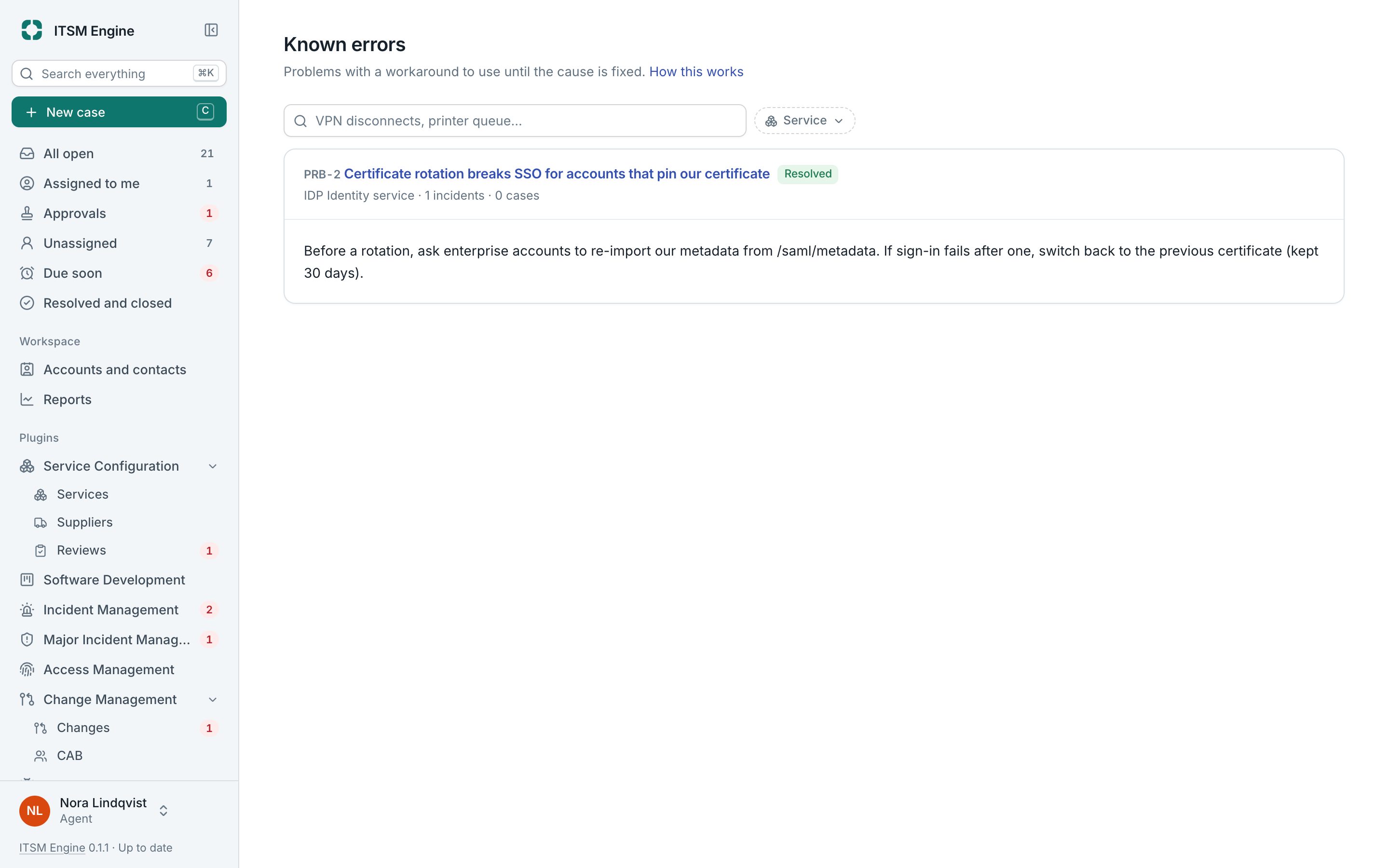
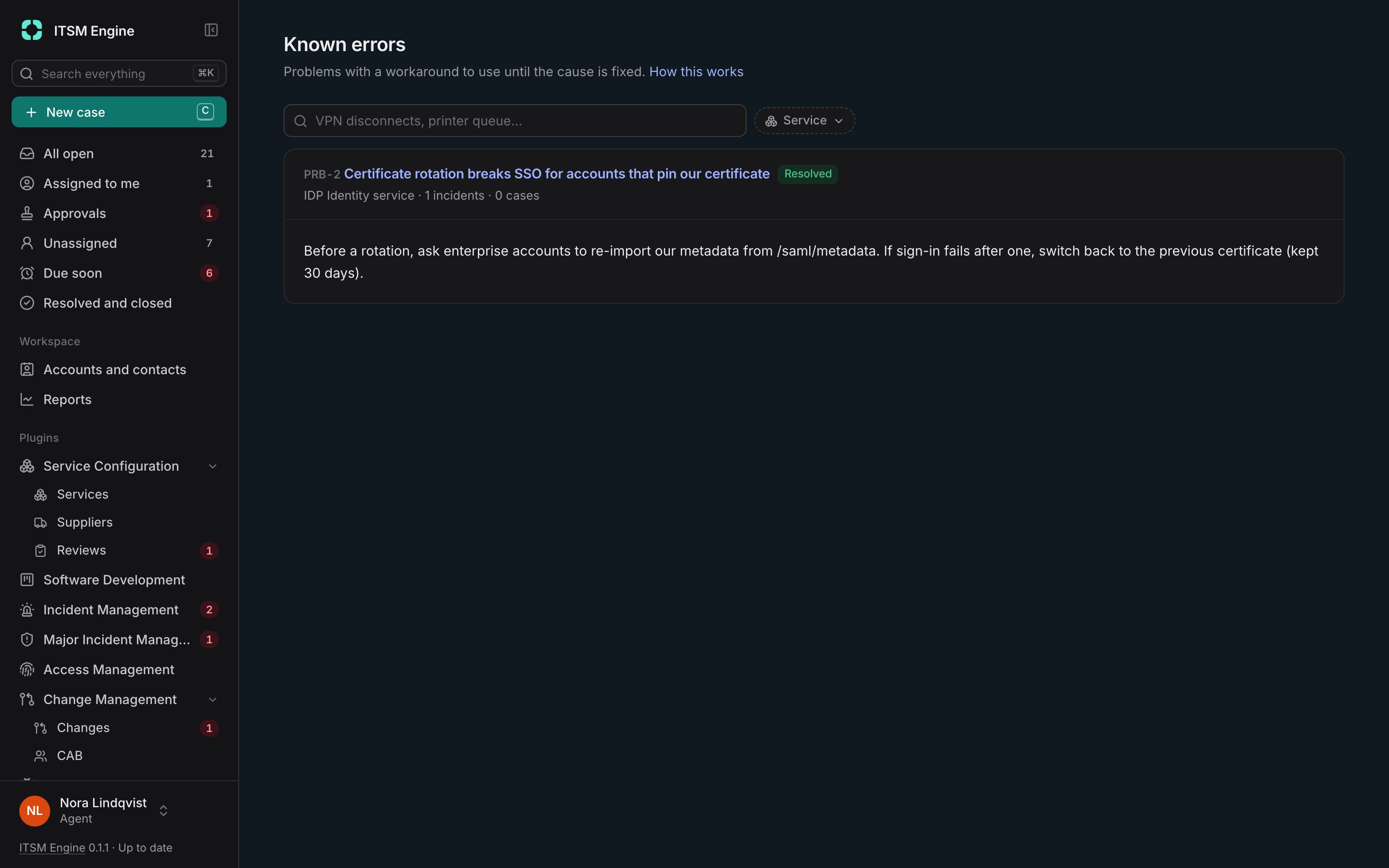
Known errors are suggested on matching cases, and Use workaround links the case and copies the customer text. Weekly problem reviews have an agenda that fills itself and minutes that lock when the meeting closes.
Problem Management is a plugin, and needs Service Configuration and Incident Management. It is built into the desk and free like everything else: an admin turns it on under Settings → Plugins, and turning it off hides it everywhere and keeps its data.
What it includes
Open from anywhere
Incidents, reviews, cases or from scratch, with links to cases, incidents and changes.
Root cause with sign-off
Templates, versions and a second person.
Known errors
Workarounds suggested on cases, for agents and for customers.
Fix through a change
Raise the change from the problem.
Risk acceptance
A register of accepted risks with review dates.
Problem reviews
A self-filling agenda, decisions, actions and locked minutes.
Confidential problems
Visible only to the owner, the team and people added.
Evidence
A problem report as PDF with its checksum, and a report tab with process evidence.