Every plugin is free. All of them.
Plugins add work areas not every team needs. They are built into the desk and stay off until an admin turns them on. There are no editions and nothing to pay for: the free licence key turns on every plugin.
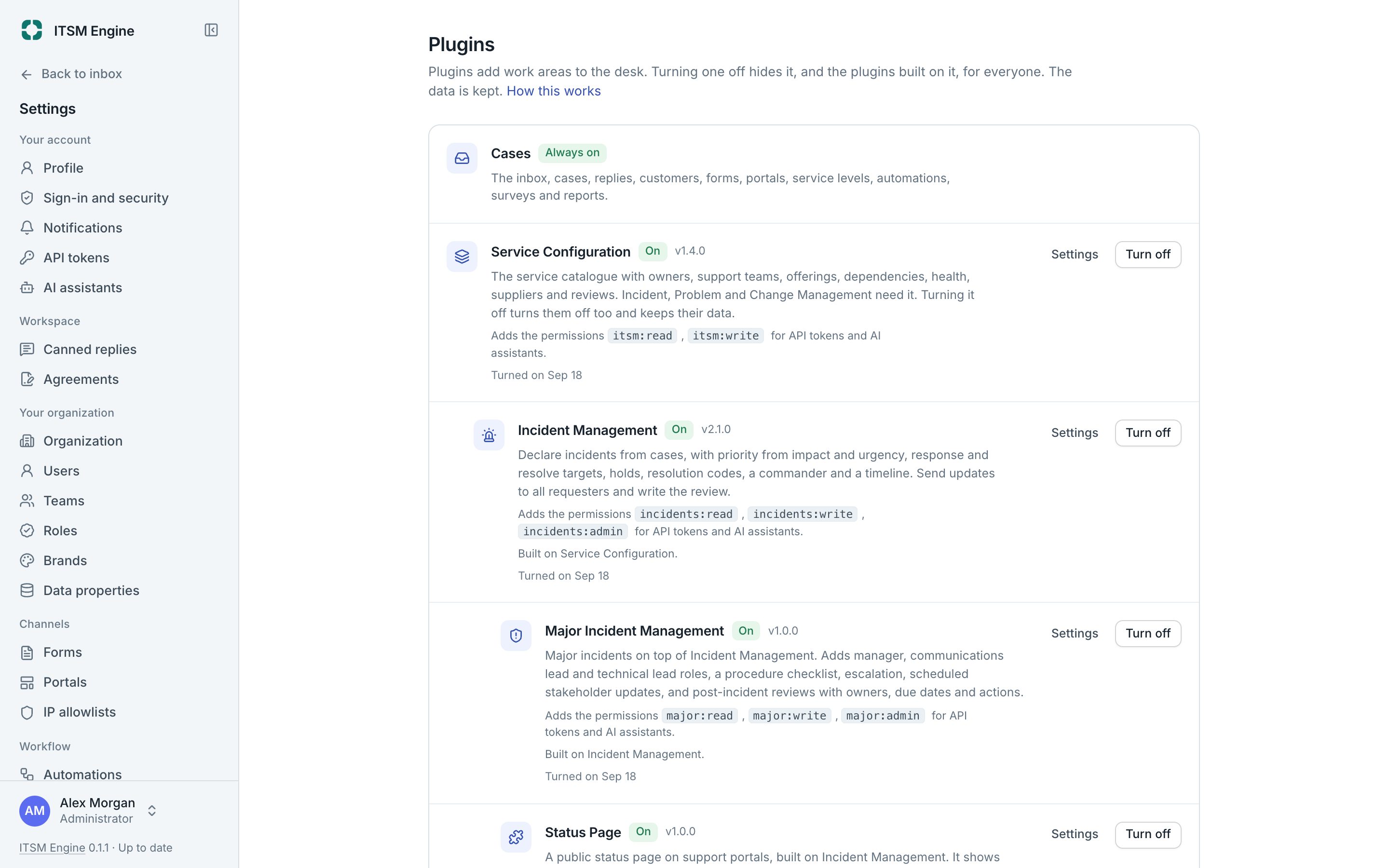
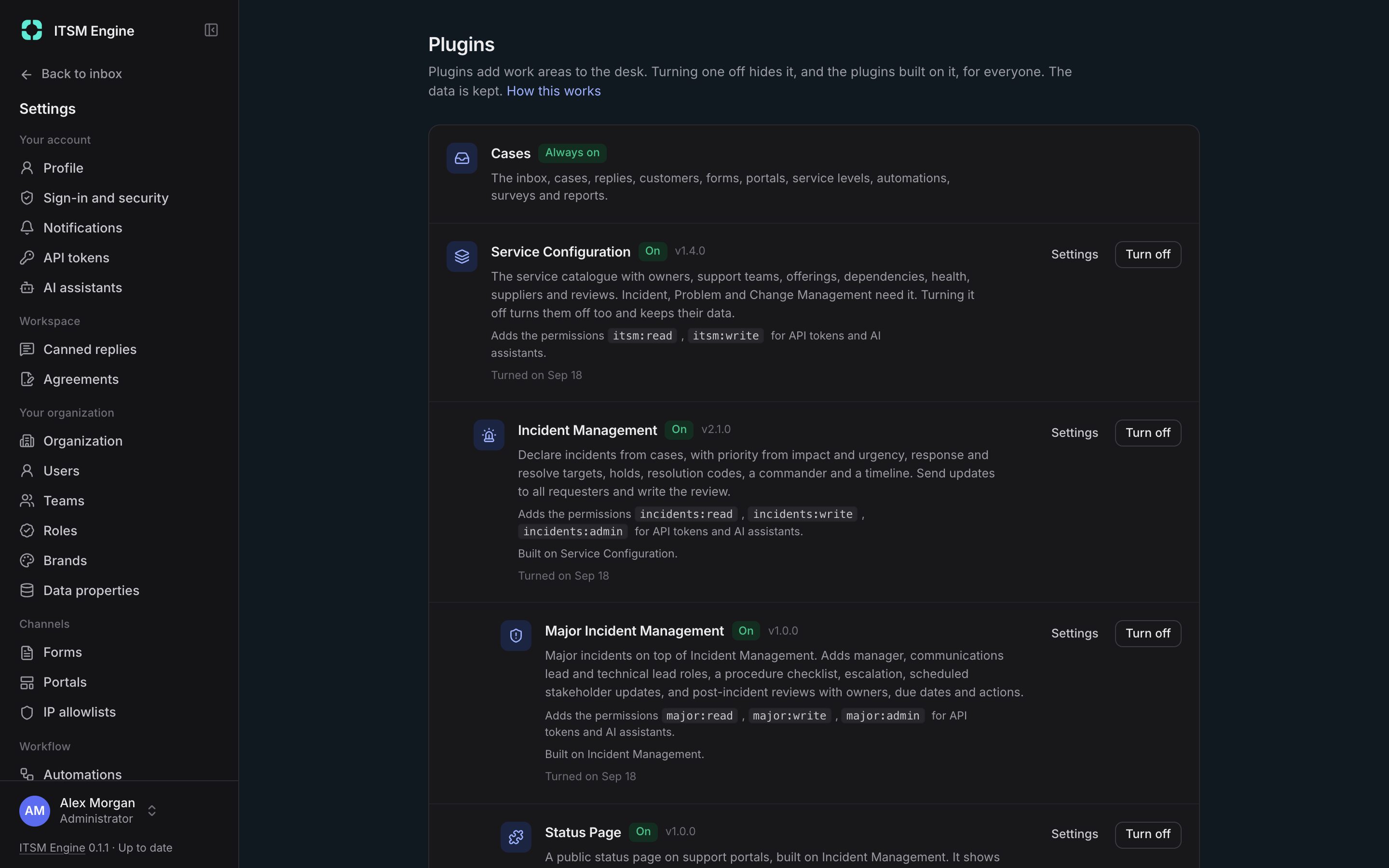
How it works
Settings → Plugins lists the plugins in layers, with what each is built on and the permissions it adds. Turning one on also turns on what it needs. Turning one off hides it everywhere and keeps its data, and other servers follow within 30 seconds.
Each plugin is a folder with a manifest, a server module and a web module, compiled into the desk. The manifest declares its id, scopes, events, notifications, permissions, roles, automation conditions and actions, and the plugins it needs. The desk refuses to start with an invalid manifest.
On the server a plugin adds routes, access hooks, case events, timeline entries, emails, scheduled work, portal pages, evidence and MCP tools, with tables of its own. In the web app it adds pages, sidebar items with counts, settings tabs, report tabs, case panels, bulk actions and approvals. The eight bundled plugins are complete examples.
What it includes
Eight free plugins
Services, incidents, major incidents, status page, problems, changes, developer tasks and access management.
On and off at runtime
Dependencies go on and off together, and data stays.
A manifest
Scopes, events, permissions, roles and automation parts in one declared file.
Server extension points
Routes, access hooks, events, portal pages, evidence, housekeeping and MCP tools.
Web extension points
Pages, sidebar items, settings, reports, case panels, bulk actions and slots in other plugins.
No licence checks in plugins
Plugins are free, so the SDK has nothing to check.