When it’s bigger than one case
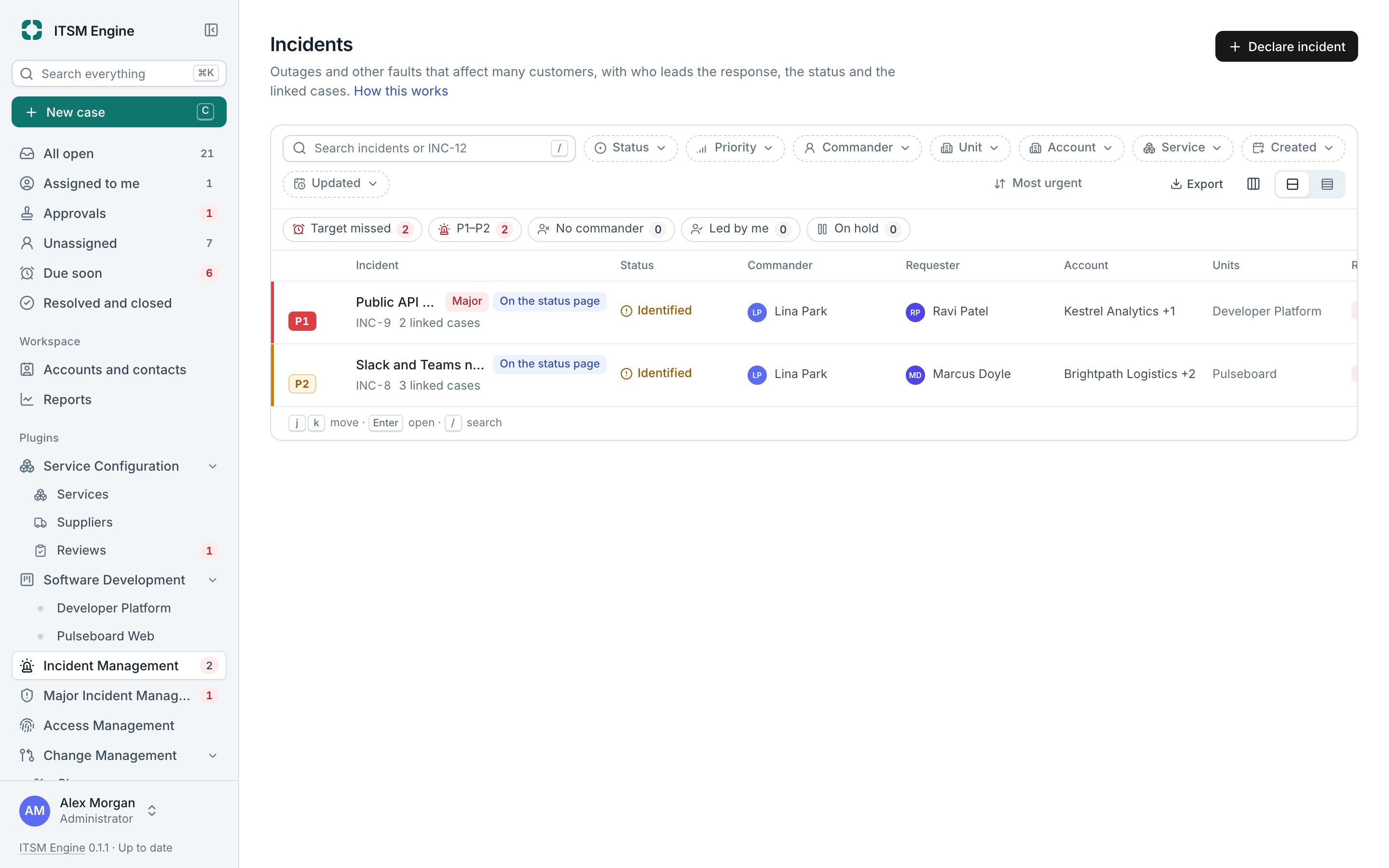
An incident is one problem reaching many people at once. Instead of answering each case on its own, you declare an incident, link the cases and follow it to the end with one commander leading.
How it works
Declare an incident from a case’s menu, which carries over the service and links the case, or from the Incidents page. Priority, P1 to P4, comes from a matrix of impact and urgency. Declaring a P1 or P2 emails the agents of the affected units.
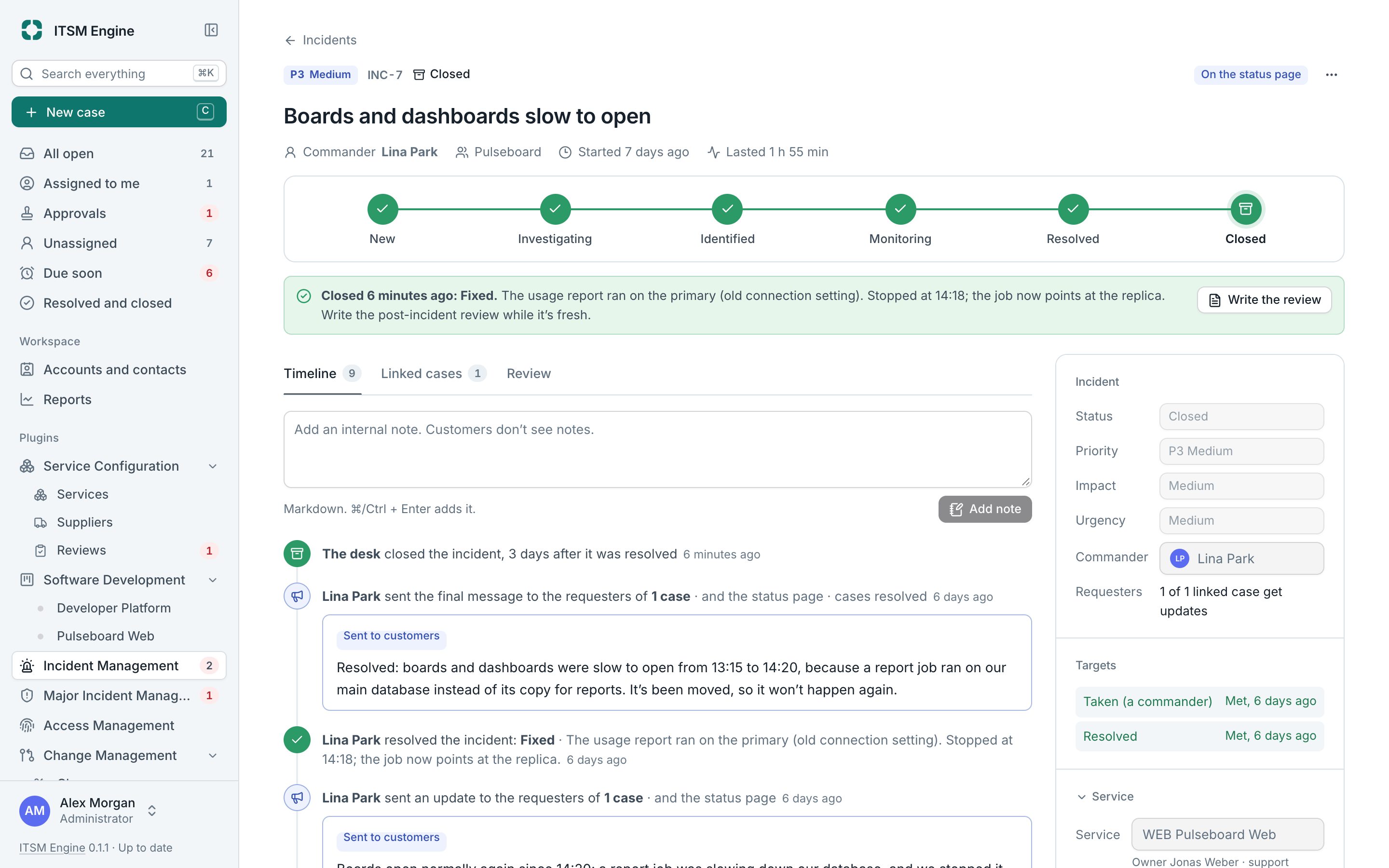
Each priority has targets to take and to resolve, around the clock for P1 and P2 and in business hours below. Missed targets are found within five minutes. The incident moves through New, Investigating, Identified, Monitoring and Resolved, with On hold stopping the clock.
Link cases from the case or in bulk from the inbox. Send update replies on every linked case at once, in each case’s brand and signature, and on the status page. A final message can resolve them all. Afterwards you write the review and send a summary to customers.
Incident Management is a plugin, and needs Service Configuration. It is built into the desk and free like everything else: an admin turns it on under Settings → Plugins, and turning it off hides it everywhere and keeps its data.
What it includes
Declare from a case
Or from scratch, with categories, affected units, a commander and when it started.
Priority matrix
Impact times urgency, with take and resolve targets per priority.
Status steps
With holds and reasons, resolution codes, closing after three days and reopening.
Linked cases
From the case, or many at once from the inbox.
One update for everyone
Every requester hears the same news in their own brand.
Reviews and summaries
A review tab and a summary for customers.
Service health
Open incidents set the health of their services.
Built for many
A list for hundreds of incidents, an inbox switch and a report tab.