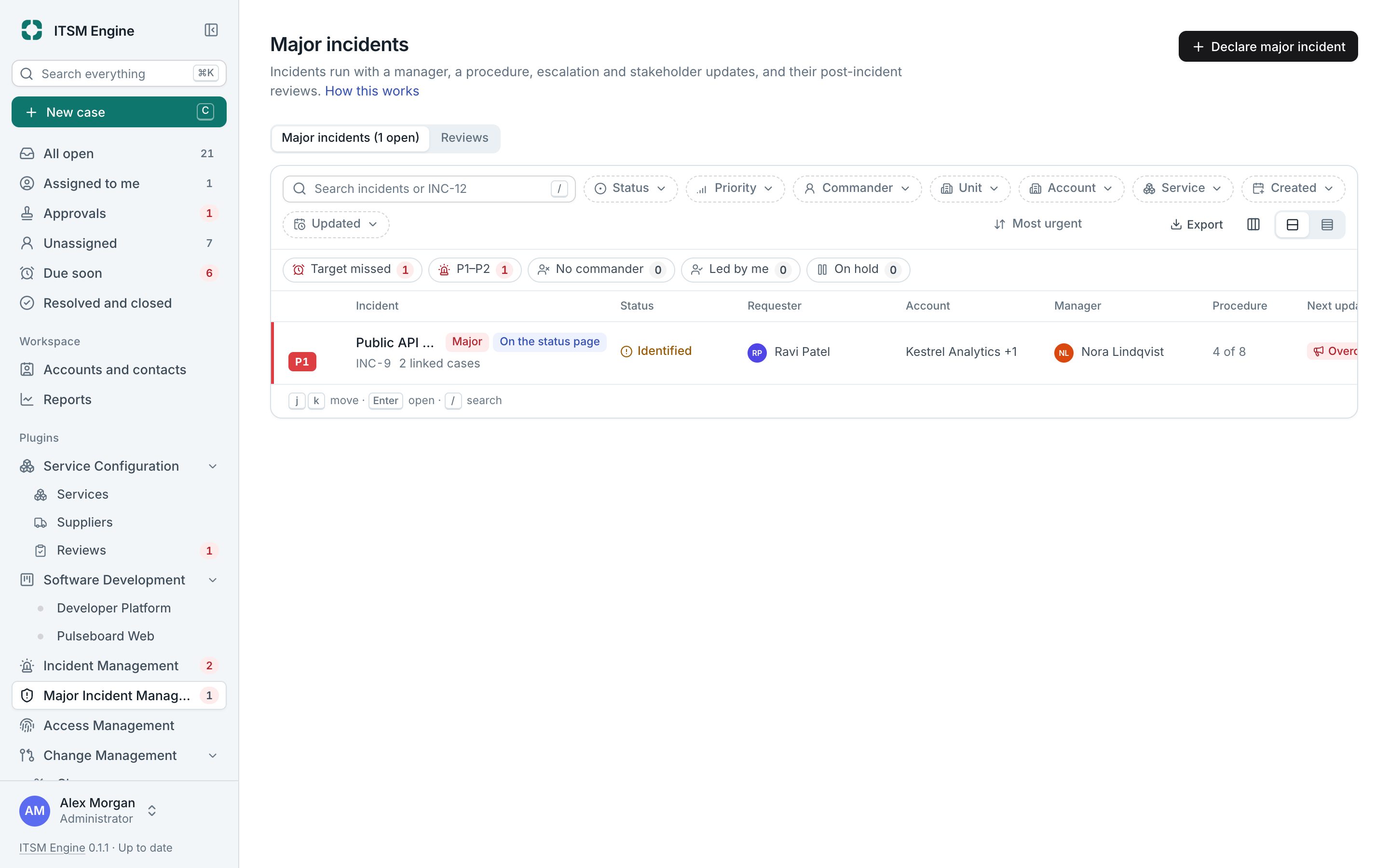
Run the big one by the book
A major incident is an incident with more around it: a manager, a communications lead and a technical lead beside the commander, a procedure, escalation, stakeholder updates and a review afterwards.
How it works
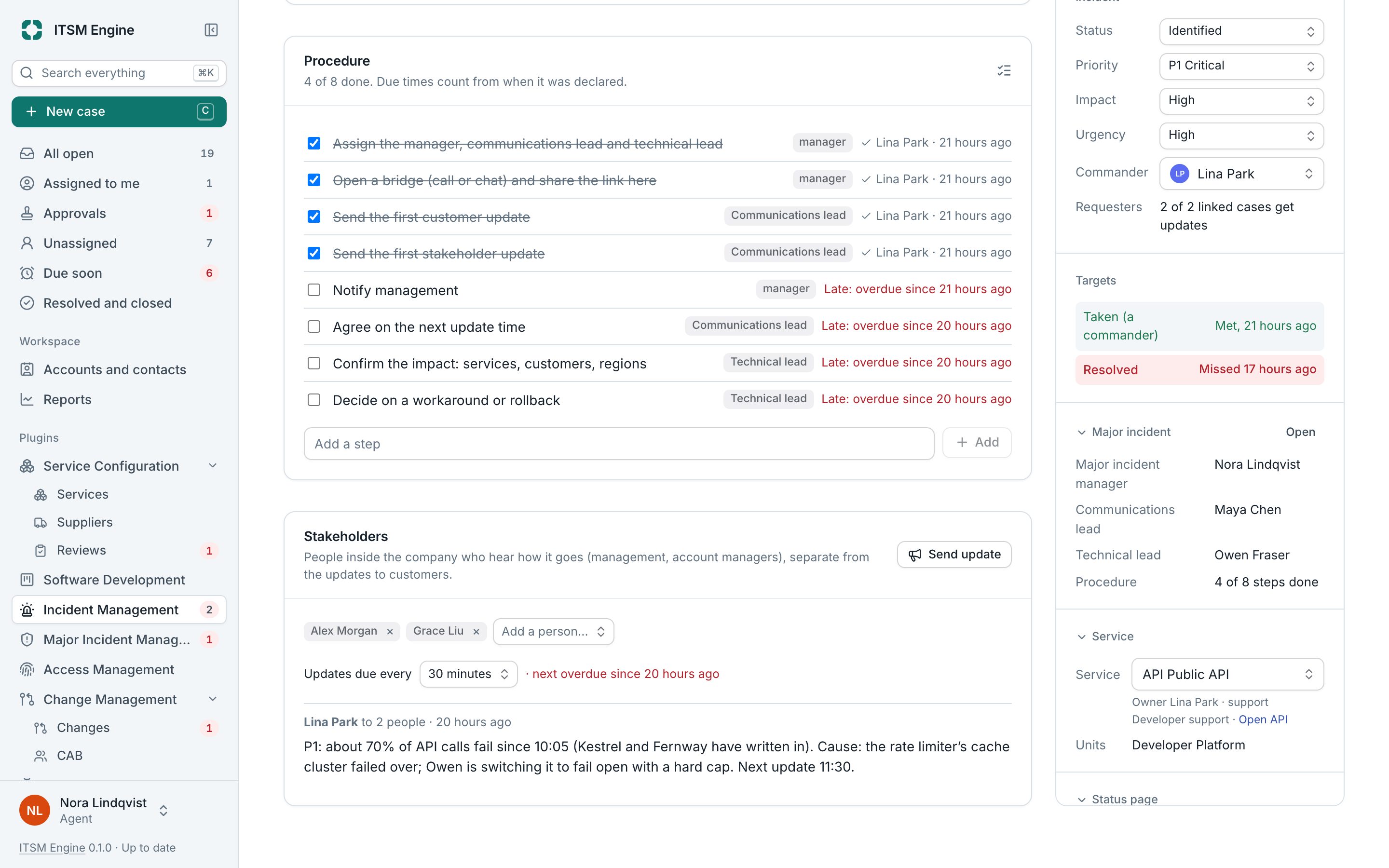
Declare it on an incident, from scratch, or automatically by priority. A red banner shows when it became major, the manager, the bridge link and when the next stakeholder update is due. The Major incident tab holds the roles, the procedure, the stakeholders and any child incidents.
The procedure is a checklist with steps for each role and a due time, and late steps are marked. Escalation checks every minute for an incident nobody has taken or whose updates have stopped, and emails the next level.
Stakeholder updates go to people inside the company on a rhythm, separate from the updates to requesters. Once it is resolved, a review is required, with an owner and a due date, from a template, and its actions can become developer tasks.
Major Incident Management is a plugin, and needs Incident Management. It is built into the desk and free like everything else: an admin turns it on under Settings → Plugins, and turning it off hides it everywhere and keeps its data.
What it includes
Three roles and a commander
Manager, communications lead and technical lead.
Procedure checklist
Steps per role with due times, who checked them and when.
Escalation
When nobody takes it or the updates stop, by level.
Stakeholder updates
On a schedule, with reminders.
Child incidents
One parent with updates passed down if you like.
Required reviews
Owner, due date, template, reminders and actions.