What you own, who has it, and what it costs
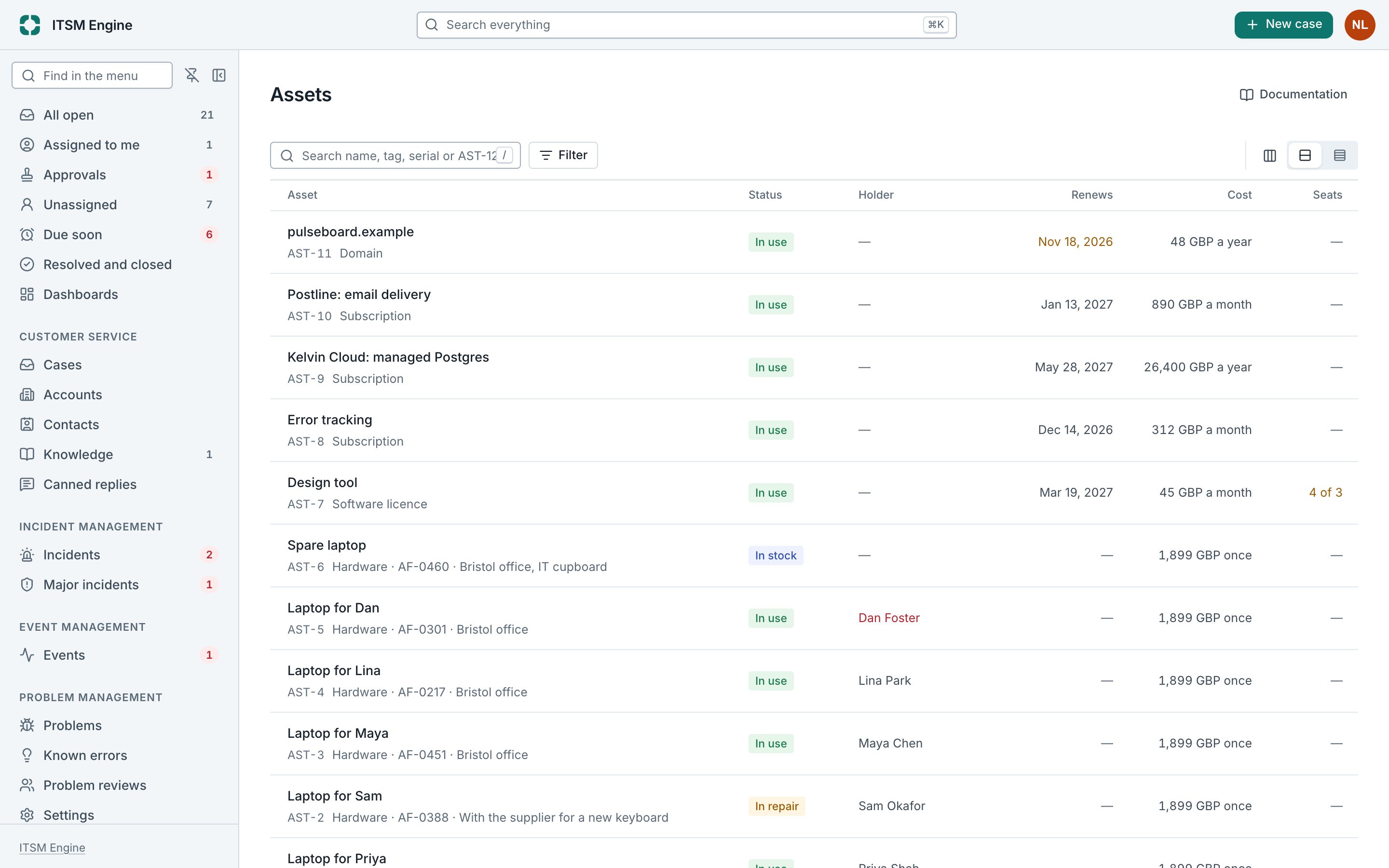
The asset register holds what the organization owns or pays for: laptops and phones, software licences, subscriptions and domains, each with a holder, an owner, its cost, the dates that matter and the service or configuration item it is for.
How it works
Each asset has a key such as AST-12, a type and a status from ordered to in use, in repair or retired. A software licence has seats, held by the people on them. The list counts what renews in 90 days, what is in stock and what you hold yourself.
Owners are reminded before a renewal. When someone leaves and is disabled, what they held is listed to get back. Disposal is recorded with how and when, and an asset’s history keeps every change.
Assets point at the services and configuration items they are for, so each service shows what its assets cost a month. The register is audit evidence, exported with a checksum.
IT Asset Management is a plugin, and needs Service Configuration. An admin turns it on under Platform → Plugins, and turning it off hides it everywhere and keeps its data.
What it includes
Five types
Hardware, software licences, subscriptions, domains and other.
Seats
Licences with how many were bought and who holds each.
Renewals
Reminders to the owner before the date.
Leavers
What disabled people held, listed to get back.
Disposal
Recorded with how and when.
Cost per service
What a service’s assets cost a month.
A dashboard
Renewals, stock and what is held, for everyone who reads assets.
For auditors
The register with its history, exported with a checksum.